Solo Rap
One portrait, one performer. Shape a rap around your own story.
Create a Solo or Duo rap video from your photos. Add a story, choose a stage, and let lyrics, music, and video come together. See the total credits before you start.
Start creatingReal videos made by our creator. Press play to watch with sound.
24 credits
Sign in to view your projectsAn AI rap video brings a portrait into a short generated performance with lyrics, music, and moving visuals. Start with yourself, bring a friend into a Duo, or give a shared memory its own verse. You do not need to record a song or edit a timeline.
One portrait, one performer. Shape a rap around your own story.
Two portraits or one two-person photo, with separate A/B lyrics and voice assignments.
Add one portrait, two separate portraits, or one photo of both performers. Use photos with everyone’s permission.
Add a story or leave it blank for original lyrics. Photo 1 and Photo 2 keep their own assigned parts.
When an option is available, see its total credits before Generate. Song, video and basic checks continue automatically; the private result opens when ready.
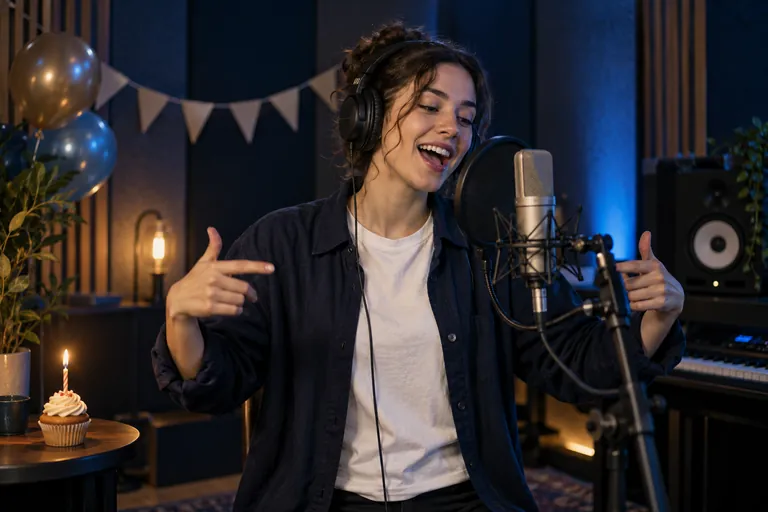
Make a birthday rap video with a name, a favorite memory, and a message you want to share. Use one portrait for Solo or bring a friend into a Duo. One specific detail gives the lyrics more direction than a long list of wishes.
A cheerful birthday rap for Alex, who always brings the snacks and turns every road trip into a singalong. End with a warm birthday wish.
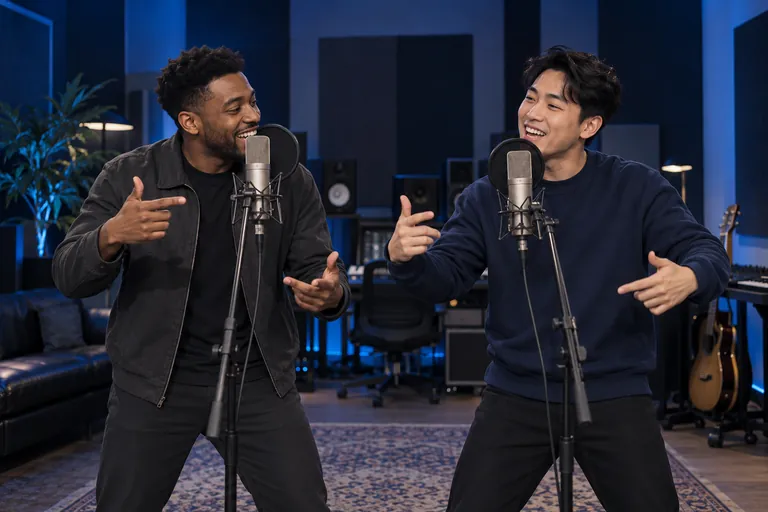
The photos do not need to have been taken together. Use two portraits or one clear photo of both people, then describe a shared memory or a friendly back-and-forth. Check the Photo 1 and Photo 2 assignments before creating your Duo rap video.
Two friends debate the best weekend breakfast. Photo 1 champions pancakes; Photo 2 defends waffles. Keep it friendly and celebrate both.
Studio Booth, Live Stage, Street Cypher, or Neon Rooftop: choose an available scene and output settings. The creator offers 480p and 720p, supported lengths up to 15 seconds, and 9:16, 1:1, or 16:9 formats. Available combinations depend on the selected mode.
For a vertical post on TikTok, Reels, or Shorts, start with an available 9:16 option. Download and review the result before posting it yourself. Nothing is published automatically.
Review the total before generating. Credit packs are one-time purchases with no subscription, and purchased credits do not expire. A confirmed failed creation with no usable result returns its reserved generation credits automatically. A new version of a delivered video requires a new displayed cost and your click.
View credit packsIt combines your photos and an optional story with generated lyrics, music, and video to create a short rap performance.
Yes. Choose Duo with two portraits or one clear photo of both people. Photos do not need to be taken together. Check the Photo 1 and Photo 2 assignments before generating.
No. Add an optional idea or leave it open for generated lyrics. The advanced options also let you supply lyrics and choose a vocal language.
Choose from supported combinations of 480p or 720p, up to 15 seconds, and 9:16, 1:1, or 16:9. Available choices and total credits appear in the creator.
Your creations are private by default. View them in your account and download a result when ready. Public examples are separately authorized; creating a video does not publish it.
A confirmed failure without a usable result automatically returns reserved generation credits. A delivered video remains charged; creating another version requires a new displayed cost and your click.
No. Buy one-time credit packs when you need them. Purchased credits do not expire.
Use the creator in your mobile browser to choose photos, adjust settings, and view results. No app installation is required. Keep the original photos available if sign-in requires you to select them again.
Use JPG, PNG, or WebP up to 10 MB each, with clearly visible faces. Only upload photos you have the right to use, with permission from everyone shown.
No. Photos guide appearance, not voice identity. The creator uses generated vocals and available creative settings; it does not clone your real voice from a photo.
Choose from the vocal languages offered in the creator. The website language and the vocal language are separate settings.
The total depends on your selected mode and output settings. Review the displayed total before generating; changing settings can change how many videos a credit pack covers.
Time varies. My Creations shows the actual stage and elapsed time, with an estimate when available. A longer wait or lost connection does not necessarily mean failure; return to the same creation to check.
Open the finished result in My Creations for playback, lyrics, and download. Access links are temporary; request a fresh link if it expires while the result remains available.
Creating a video requires credits. You can explore public examples and available settings before deciding. Check Pricing for current one-time packs; a free generated video is not promised.
Yes. Add a nickname, memory, and mood to the optional story. Choose Solo or Duo and use photos with permission. AI may interpret details, so review the finished video before sharing.
Not in the current creator. It generates music and vocals within the short photo-to-rap video flow, using an optional story and available lyric settings. Existing audio uploads are not supported.